
Tuesday, March 31, 2015

Friday, March 27, 2015
Chapter 4- Digital Blog Post #I
 |
| Photo credit by BobboSphere on Flickr |
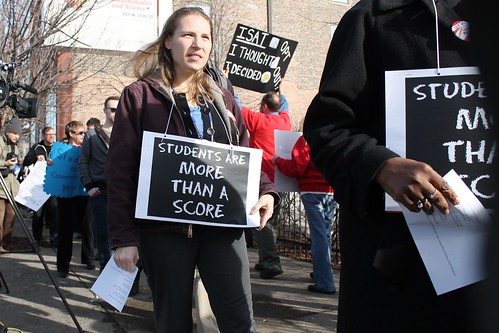
 Technology makes our lives easier! In particular at work. To be a teacher now on these days is less stressful and way more fun. Many teacher use electronic grading software as a virtual recordkeeping system (Maloy, pg 71). This program automatically calculates the overall grade without having to do some math. Isn't great? So, students can have immediate access to their grades, and allow them to see their progress during the semester.
Using technology in lesson planning is the most effective way to get the students' attention. The internet provides vast electronic resources for supporting lesson development using students learning objectives and understanding by design approaches (Maloy, pg 65). Also, using videos or pictures are a big attention gather for students. I love to see pictures as a examples. I learn more visually than hearing.
In conclusion, chapter 4 discusses the student learning objective, the use of technology to make lesson plans, how teachers evaluate their students, etc. Designing lesson plans with technology makes it better.
Resources:
De La Garza, D. (2015, March 27). Untitled Banner. Retrieved March 27, 2015, from https://magic.piktochart.com/output/5254946-untitled-banner
Maloy, R., O'Loughlin, R., Edwards, S., & Woolf, B. (2013). Transforming Learning with New Technologies. 2nd Edition. Boston, MA: Pearson Education Inc.
(n.d.). Retrieved March 27, 2015, from http://www.brighthubeducation.com/student-assessment-tools/16137-the-pros-and-cons-of-standardized-testing/
Sheffer, S. (2014, February 18). Do ACT and SAT scores really matter? New study says they shouldn’t. Retrieved January 28, 2015, from http://www.pbs.org/newshour/rundown/nail-biting-standardized-testing-may-miss-mark-college-students/
Wednesday, March 11, 2015
Chapter 9- Digital Blog Post #H
 |
| Photo credit by hackNY on Flickr |
- use the slides as attention-getters
- develop your own PowerPoint learning
- display questions or comments
- promote visual analysis
- use visual text
- make visual presentations
Another multimedia tool that is popular and effective teaching tool is video. Why use video in the Classroom? Teachers who use instructional video report that their students retain more information, understand concepts more rapidly and are more enthusiastic about what they are learning. With video as one component in a thoughtful lesson plan, students often make new connections between curriculum topics, and discover links between these topics and the world outside the classroom ("Resources").
Resources:
De La Garza, D. (2015, March 11). Voki For Web. Retrieved March 11, 2015, from http://www.voki.com/mywebsite.php
Maloy, Robert, Verock-O’Loughlin,Ruth-Ellen, Edwards, Sharon A., and Woolf, Beverly Park (2013). Transforming Learning with New Technologies. 2nd Edition. Boston, MA: Pearson Education, Inc.
Park, D. (2009, October 18). 10 reasons to use multi-media in classroom. Retrieved March 11, 2015, from https://www.youtube.com/watch?v=WRueMDK2-e8
Resources. (n.d.). Retrieved March 11, 2015, from http://www.thirteen.org/edonline/ntti/resources/video1.html
Tuesday, February 24, 2015
Chapter 10-Digital Blog Post #G

Technology supports learning success for all students. DI and UDL are often associated with instructional changes designed to meet the needs of students with special educational needs, gifted, and talented learners, or English language learners (Maloy, pg 277). It's amazing how we benefit from technology. I wouldn't imagine to be born in the past centuries!! Back then it was hard to success without technology support. Now on these days, all students can be someone important in life without obstacles.
 |
| Photo credit by Toban B. on Flickr |
Calculators? what can I say about this "wonderful" tool. Now on days calculators make lives easier, specially for students of all ages. Also, this tool help students with disabilities, who have short term memory deficits and who lack confidence with number operations (Maloy, pg 287). However, I don't like scientific calculators that perform more than just complex operations. That's the reason why we don't use our mental math strategies. Many educators teach students how to do math only in a scientific calculator, but what about when they have to present a National or International test and universities will not allow to use them on the test? I want to be clear that I am not against these potential machine, but I thought that good math teaching was about developing mental skills, not on how to press buttons!
Resources:
De La Garza, D. (n.d.). Tagxedo - Word Cloud with Styles. Retrieved February 24, 2015, from http://www.tagxedo.com/app.html
Maloy, Robert, Verock-O’Loughlin,Ruth-Ellen, Edwards, Sharon A., and Woolf, Beverly Park (2013). Transforming Learning with New Technologies. 2nd Edition. Boston, MA: Pearson Education, Inc.
Sunday, February 22, 2015
Chapter 8-Digital Blog Post #F
Teachers have to face an array of new choices about how to integrate communication technologies into their personal practices and related outside the classroom professional responsibilities (Maloy, pg 208). If it wasn't for this class (EME 2040) I wouldn't never knew how to create a blog. This is my first blog and I am really enjoying it. At first, I didn't like the idea of creating this blog, but now this blog is becoming part of my life. Thanks to this class (EME 2040) I am learning that there are many multiple communications technologies that I could use in the future as a teacher. For example,
- Email or instant messaging
- Teacher or classroom websites
- Blogs
- Online discussions
- Wikis
 |
| Photo Credit by Gavin Llewellyn on Flick |
Blogs are a form of engaging students to become part of the educational process via online. Every english educator should implement this new way of learning as part of their assignments. I think this tool is way more fun than just writing a journal on a simple notebook. Also, students can comment on someone else's blog and develop more creativity.
Resources:
De La Garza, D. (2015, February 22). Metro Teacher1. Retrieved February 23, 2015, from https://www.powtoon.com/show/cFRakHC4Nvn/metro-teacher1/#/
Maloy, Robert, Verock-O’Loughlin,Ruth-Ellen, Edwards, Sharon A., and Woolf, Beverly Park (2013). Transforming Learning with New Technologies. 2nd Edition. Boston, MA: Pearson Education, Inc.
Schwatz, J. (2011, June 9). Elementary Student Blogs: Innovative Classroom Technology. Retrieved February 23, 2015, from https://www.youtube.com/watch?v=OTToERnTKB4
Maloy, Robert, Verock-O’Loughlin,Ruth-Ellen, Edwards, Sharon A., and Woolf, Beverly Park (2013). Transforming Learning with New Technologies. 2nd Edition. Boston, MA: Pearson Education, Inc.
Schwatz, J. (2011, June 9). Elementary Student Blogs: Innovative Classroom Technology. Retrieved February 23, 2015, from https://www.youtube.com/watch?v=OTToERnTKB4
Saturday, February 14, 2015
Chapter 7-Digital Blog Post #E
 |
| Photo credit by Wayan Vota on Flick |
For example, educational computer games are the new way of learning for students from K-12. Math and Science can be difficult for some children, but video games can make it seem not as hard. On my own experiences, I have been into elementary classrooms for observation hours and honestly, children get so into the games that they don't even talk while they are doing their assignments. It's amazing!! Just by watching children it becomes very clear that
they prefer this type of approach to learning. Also, schools should incorporate finals and midterms exams using games! That would be fantastic for children who are not good taking exams. On this video shows some educational video games we can use for our future children.
However, I believe that educational video games has its cons as well. Some students can get bored or frustrated and lose interest in the games. Other children will play games repeatedly and spend so much time on the computer (Maloy, pg 194). Strategies to Increase the Intrinsic Value of Tasks in your Class talks about some strategies for using games with students.
Resources:
De La Garza, D. (n.d.). Metro Teacher. Retrieved February 14, 2015, from https://www.powtoon.com/show/bRc5j0Qwnhf/metro-teacher/#/
Newman, J. (2014, August 20). The best educational software for students. Retrieved February 20, 2015, from http://www.pcworld.com/article/2466587/the-best-educational-software-for-students.html
Maloy, Robert, Verock-O’Loughlin,Ruth-Ellen, Edwards, Sharon A., and Woolf, Beverly Park (2013). Transforming Learning with New Technologies. 2nd Edition. Boston, MA: Pearson Education, Inc.
Saturday, February 7, 2015
Chapter 4- Digital Blog Post #D
This chapter's learning goal highlights how teachers and students can realize the possibilities and meet the challenges of the vast library of information known as the internet (Maloy, pg 114). The Internet as became essential in our lives and has revolutionized the computers and cellphones worldwide. We use the internet to communicate, do some research, or entertainment, etc. Students these days don't have to deal with books or going to the library to do some research, they have the opportunity to become their own search experts. That's the cool part for me, I don't have to carry books or go to the library. It saves me a lot time.Good thing I was born in the 20th century!
 However, using the internet for research has its disadvantages".It is important to know that the Web is an unregulated resource. Because many unreliable sources exist on the internet, anyone – even people who have no expertise at all in your subject – can post anything at anytime" ("Using The Internet for Research"). For example, Wikipedia, which offers both resources and challenges for users. The key to success using the internet websites without getting irrelevant information is to use the library's electronic resources page (database), or websites ending with .org, .edu, or gov..
In conclusion, the internet is a great tool for everyone as long as we use it properly.
 |
| Photo credit to Flick by technovore |
 However, using the internet for research has its disadvantages".It is important to know that the Web is an unregulated resource. Because many unreliable sources exist on the internet, anyone – even people who have no expertise at all in your subject – can post anything at anytime" ("Using The Internet for Research"). For example, Wikipedia, which offers both resources and challenges for users. The key to success using the internet websites without getting irrelevant information is to use the library's electronic resources page (database), or websites ending with .org, .edu, or gov..
Therefore, the biggest problem using the internet is when it becomes to plagiarism. Plagiarism can be really tentative since all we can do is copy someone else's words and paste into our work. But, what can happen if we plagiarism? One of the consequences of plagiarism in today's school is that student may be expelled from college or even lose their diplomas after they have graduated. On the other hand, "Plagiarism in one's professional life can have even consequences as well. People in academic and scientific communities have lost their jobs and their reputations for copying the work of others without giving credit to it" ("Consequences of plagiarism"). Plagiarism in the job or school can have devastating consequences.
Resources:
Consequences of plagiarism. (n.d.). Retrieved February 7, 2015, from http://mail.baylorschool.org/~jstover/plagiarism/consequences.htm
Funny but teaches about Plagiarism. (n.d.). Retrieved February 7, 2015, from https://www.youtube.com/watch?v=hdOYE-FLNuo
Maloy, Robert, Verock-O’Loughlin,Ruth-Ellen, Edwards, Sharon A., and Woolf, Beverly Park (2013). Transforming Learning with New Technologies. 2nd Edition. Boston, MA: Pearson Education, Inc.
Using the Internet for Research. (n.d.). Retrieved February 5, 2015, from https://history.colorado.edu/undergraduates/paper-guidelines/using-internet-research
Consequences of plagiarism. (n.d.). Retrieved February 7, 2015, from http://mail.baylorschool.org/~jstover/plagiarism/consequences.htm
Funny but teaches about Plagiarism. (n.d.). Retrieved February 7, 2015, from https://www.youtube.com/watch?v=hdOYE-FLNuo
Maloy, Robert, Verock-O’Loughlin,Ruth-Ellen, Edwards, Sharon A., and Woolf, Beverly Park (2013). Transforming Learning with New Technologies. 2nd Edition. Boston, MA: Pearson Education, Inc.
Using the Internet for Research. (n.d.). Retrieved February 5, 2015, from https://history.colorado.edu/undergraduates/paper-guidelines/using-internet-research
Subscribe to:
Posts (Atom)